Auction Platform
I designed a two-sided marketplace that empowers sellers to manage large-scale inventory auctions and gives bidders a real-time, mobile-first bidding experience.
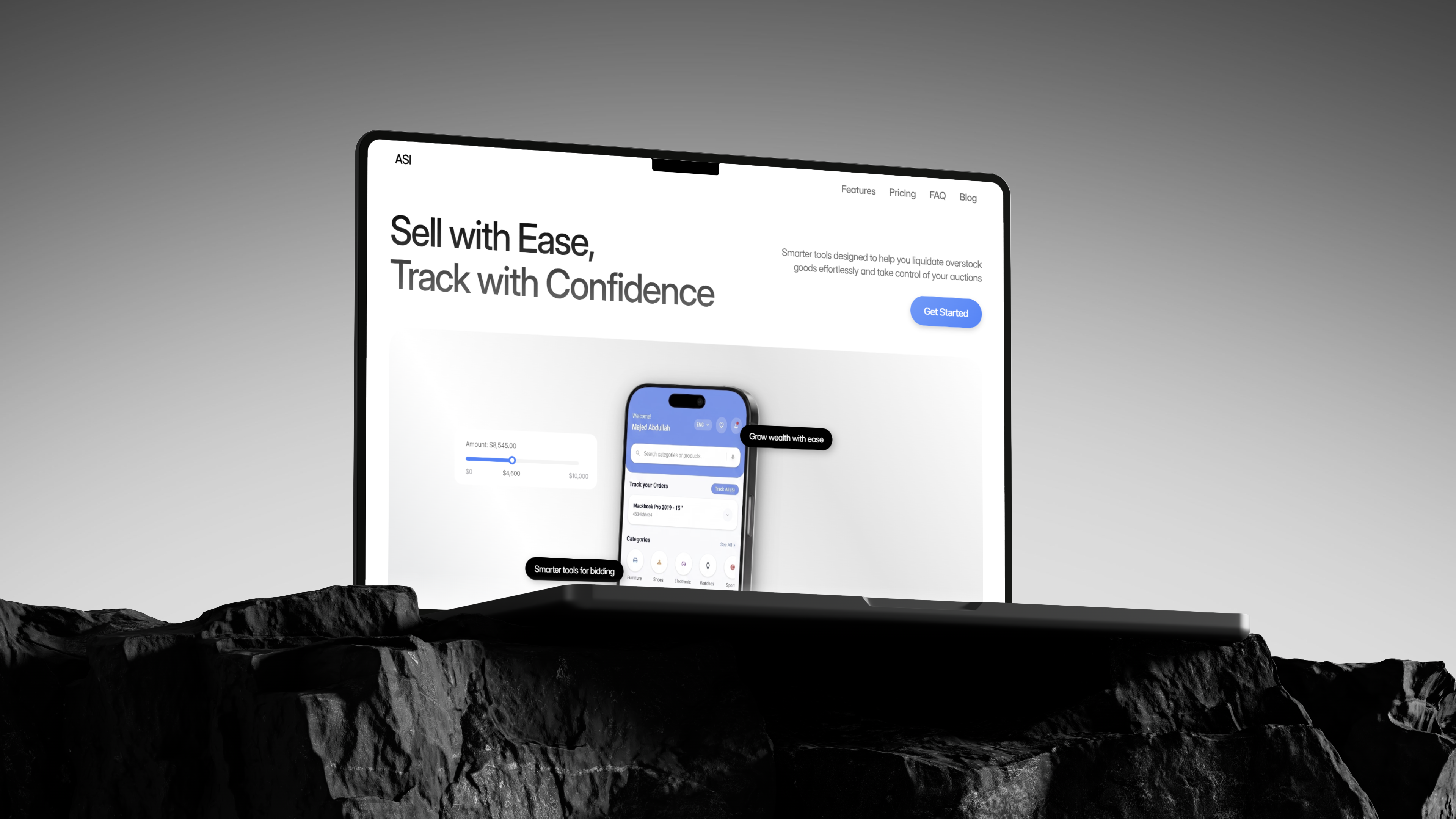
Connecting sellers and bidders in one unified ecosystem
The Auction Platform is a two-sided marketplace designed for the overstock and wholesale liquidation industry. Sellers manage their entire auction business through a desktop dashboard, covering bulk inventory upload, order fulfillment, and financial reporting. Bidders discover and compete in real-time auctions through a mobile-first experience optimized for speed and engagement.
The project required designing two distinct products that share a common language, ensuring that every item listed by a seller translates into a clear, trustworthy, and exciting experience for the bidder.
Create a platform where sellers feel in control of their business operations and bidders feel the thrill of the auction, while maintaining a cohesive design language across both experiences.
Two users, two contexts, one platform
Designing a marketplace is inherently complex. Every feature has a dual audience. The challenge was creating an experience where sellers managing hundreds of pallet-level inventory items feel just as supported as bidders making split-second bidding decisions in live auctions.
Existing platforms like eBay, HiBid, and LiveAuctioneers have powerful functionality but often suffer from overwhelming seller interfaces and clunky bidding experiences. There was a clear opportunity to rethink both sides.

Key questions driving the design
Understanding the auction landscape
Competitive Analysis
I studied four major auction platforms: eBay, HiBid, LiveAuctioneers, and Whatnot, mapping their strengths and gaps. eBay excels at scale but overwhelms sellers with configuration. HiBid serves auction houses well but has a dated bidder interface. LiveAuctioneers offers rich browsing but lacks mobile optimization. Whatnot brings excitement through live-streaming but limits traditional auction formats.
Seller Pain Points
Through research into seller workflows, I identified that the biggest friction points were around bulk inventory management and listing creation. Sellers with large inventories need efficient ways to upload, categorize, and price items across multiple auctions simultaneously. Manual, one-by-one listing flows were the primary frustration.
Bidder Needs
On the bidder side, key needs centered around real-time transparency and effortless discovery. Bidders need to trust that bid counts and timers are accurate, quickly find items matching their interests, and manage multiple active bids without losing track.
Sellers think in bulk. They manage inventories, not individual items. Bidders think in moments. They focus on one lot at a time. The platform needed to support both mental models simultaneously.
How do you design trust signals that work at auction speed, when a bidder has seconds to decide whether to place their next bid?
Approach
Reframed the brief around both seller and bidder needs. Mapped user evidence to Jobs to Be Done and aligned with business goals for the marketplace.
Ran competitive audits of eBay, HiBid, LiveAuctioneers, and Whatnot. Ideated across both seller and bidder flows, then prioritized features by impact.
Rapid prototyping of seller dashboard and bidder app in parallel. Validated core flows: auction creation, bidding, and checkout, with real users before engineering handoff.
Iterated on validation learnings, finalized design system tokens shared across web and mobile, and handed off annotated specs and components to engineering.
Mapping two journeys through one system
I created user journey maps for both personas to understand how they intersect. A seller's "create auction" flow directly feeds into the bidder's "browse and bid" experience. Every seller-side decision: item photos, descriptions, starting prices, condition grades, shapes the bidder's perception of value.
Information Architecture
The seller dashboard was organized around task-based navigation: manage inventory, create auctions, fulfill orders, track finances, matching how sellers think about their workflow. The bidder app used interest-based navigation: browse categories, search, track watchlisted items, and manage wins.
Buyer User Flow
Seller User Flow
A command center for auction management
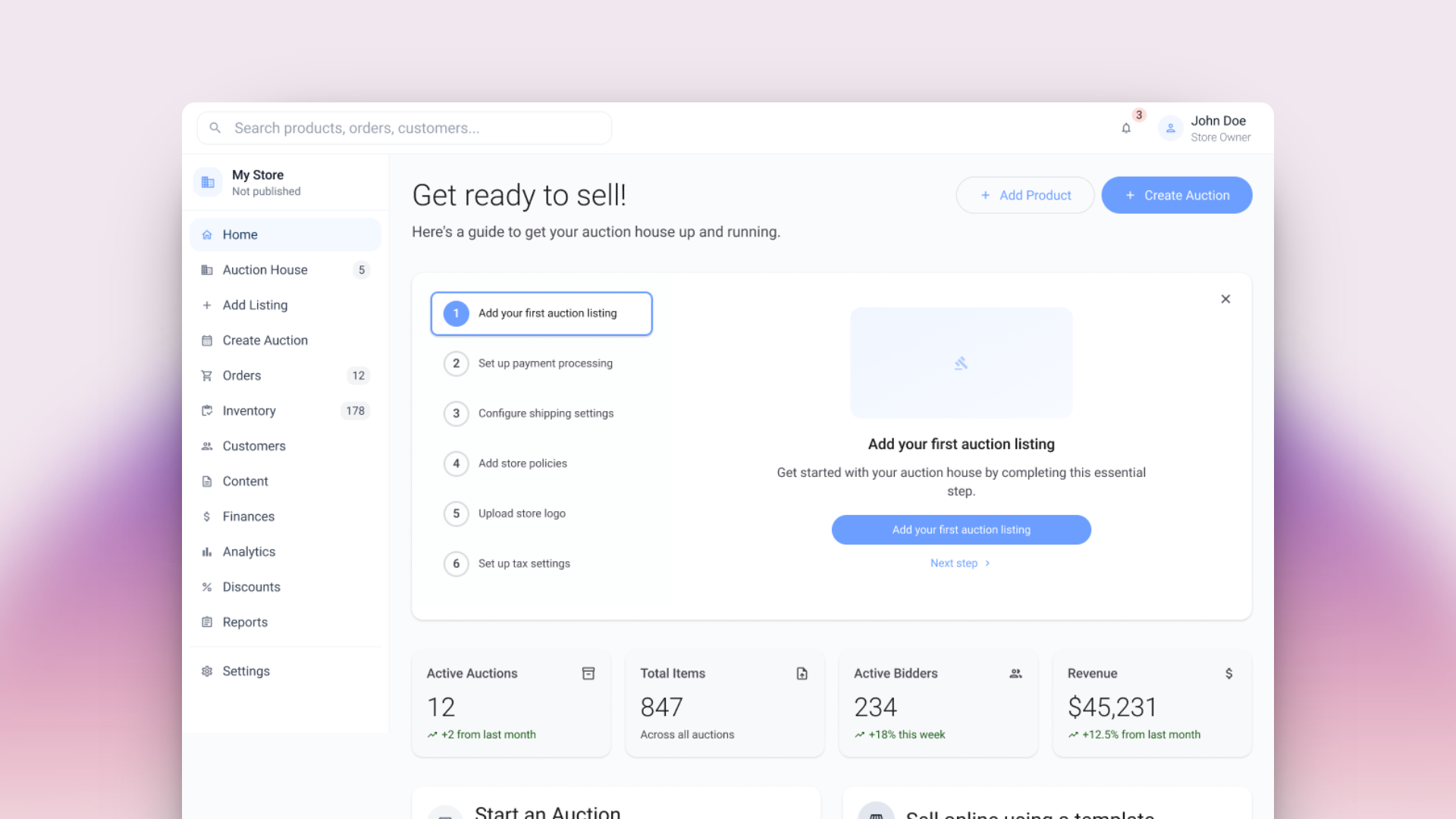
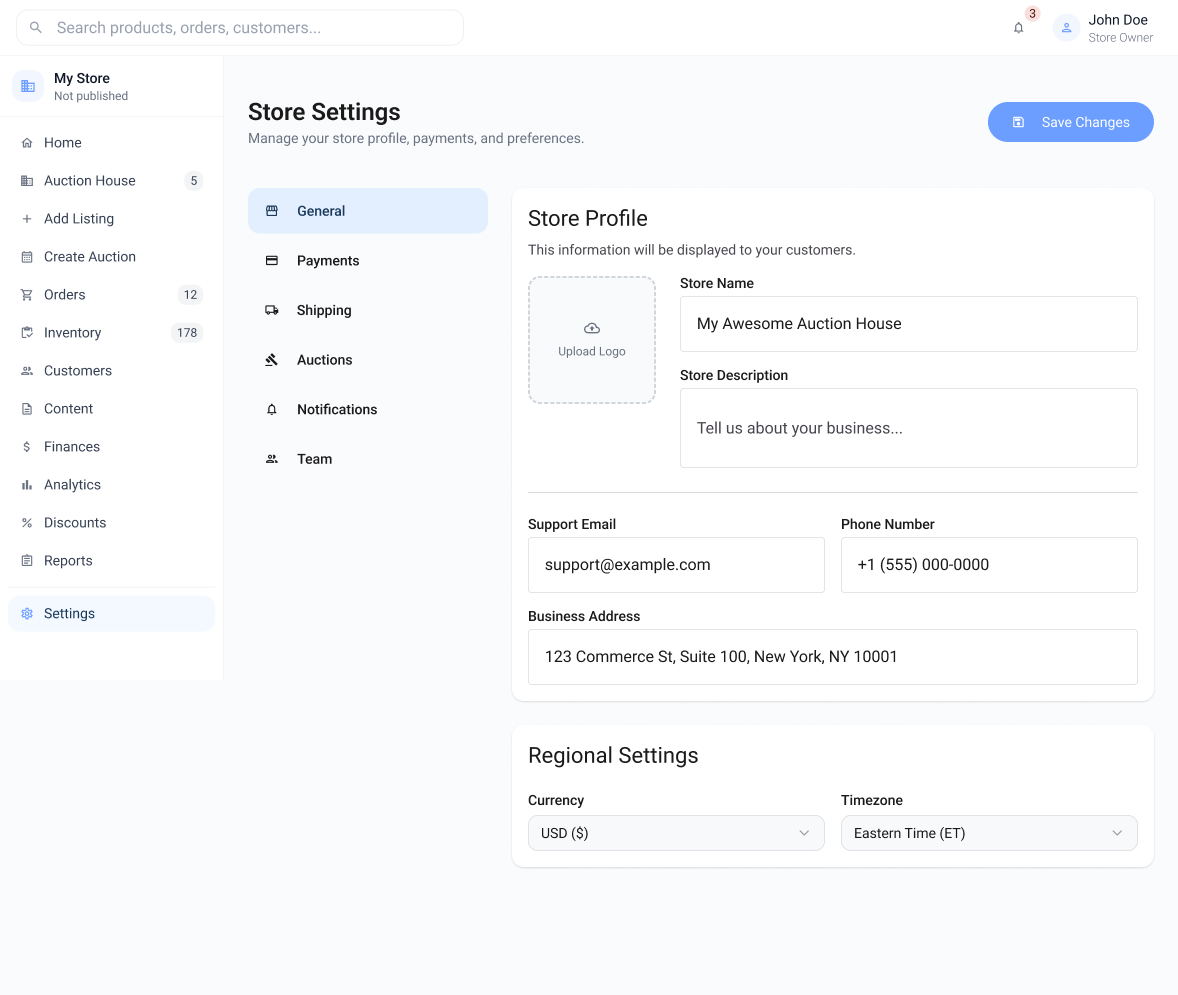
The seller dashboard is a desktop-first web application built to handle the complexity of running an auction business. Built on Material Design 3 with a clean sidebar + top nav layout, the design uses elevated cards, surface layering, and data-dense panels that surface the most critical information at a glance.
 Trade-off
Optimised for bulk operations over per-item granularity. Sellers managing hundreds of pallets needed speed, not line-level control at the listing stage.
 Outcome
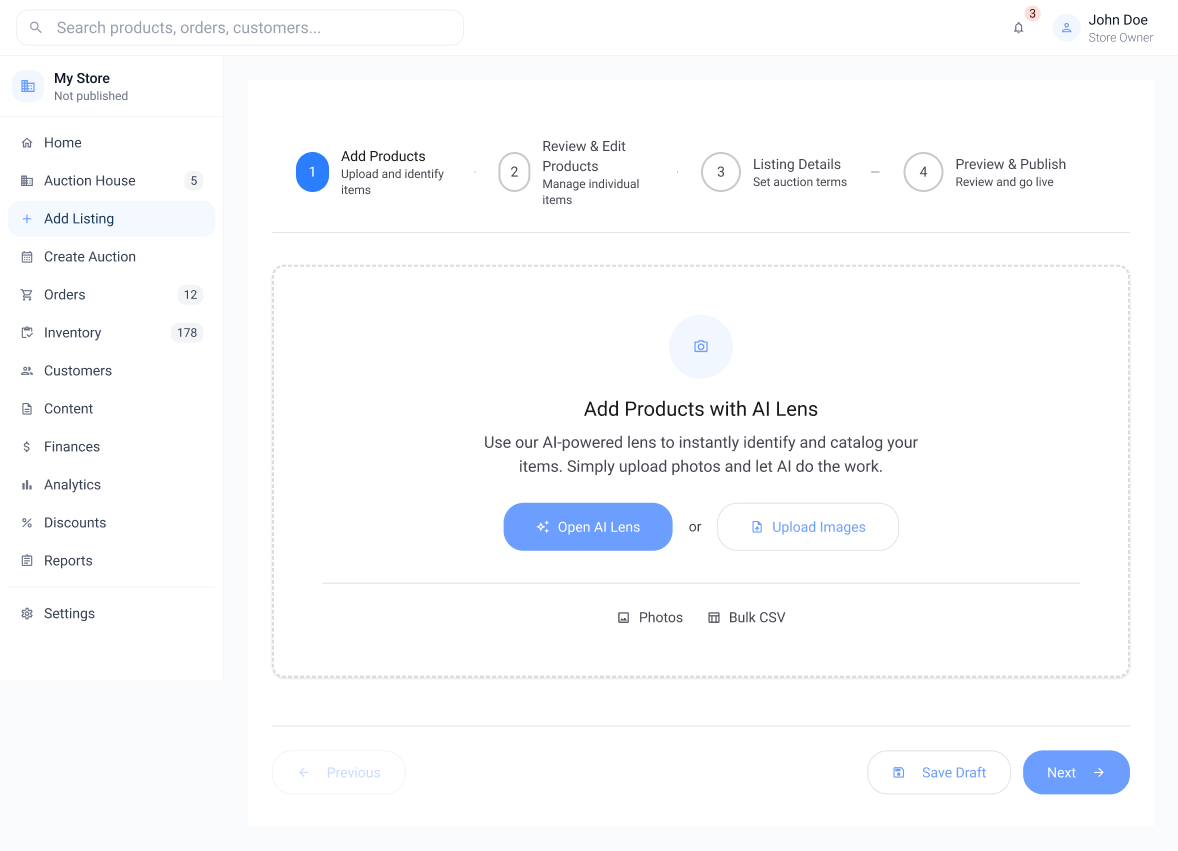
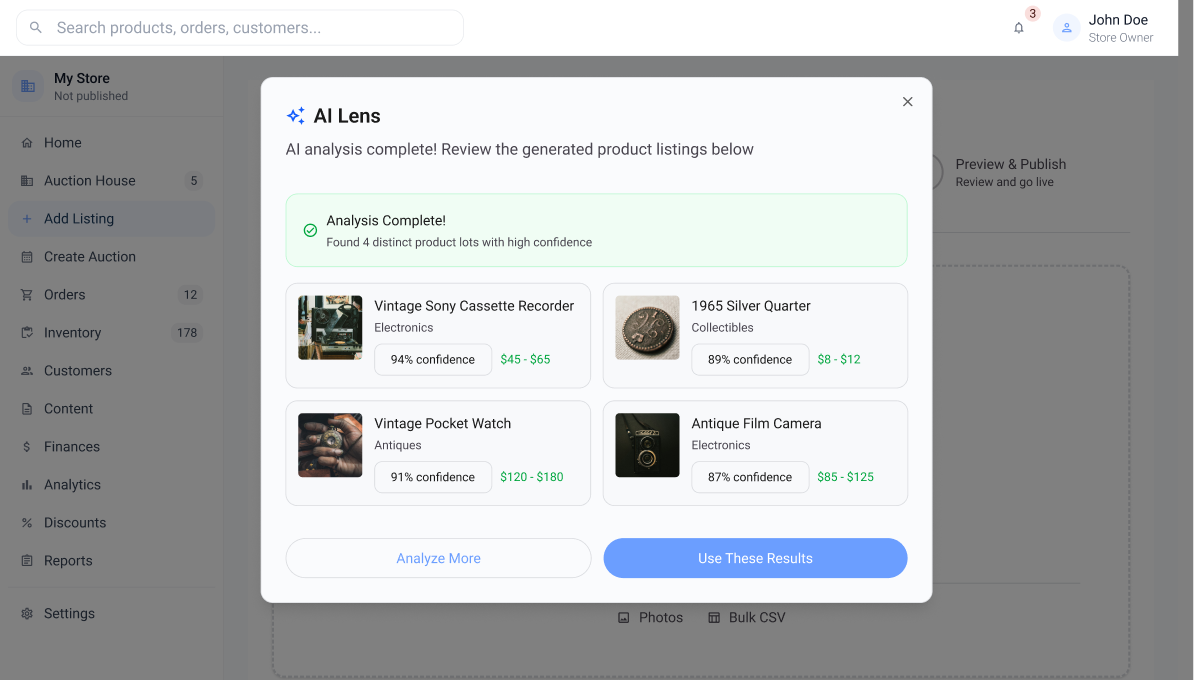
AI Lens cut listing time from ~15 min per item to under 2 minutes per batch, unlocking the platform for high-volume sellers who previously found it too slow.
Guided Setup Experience
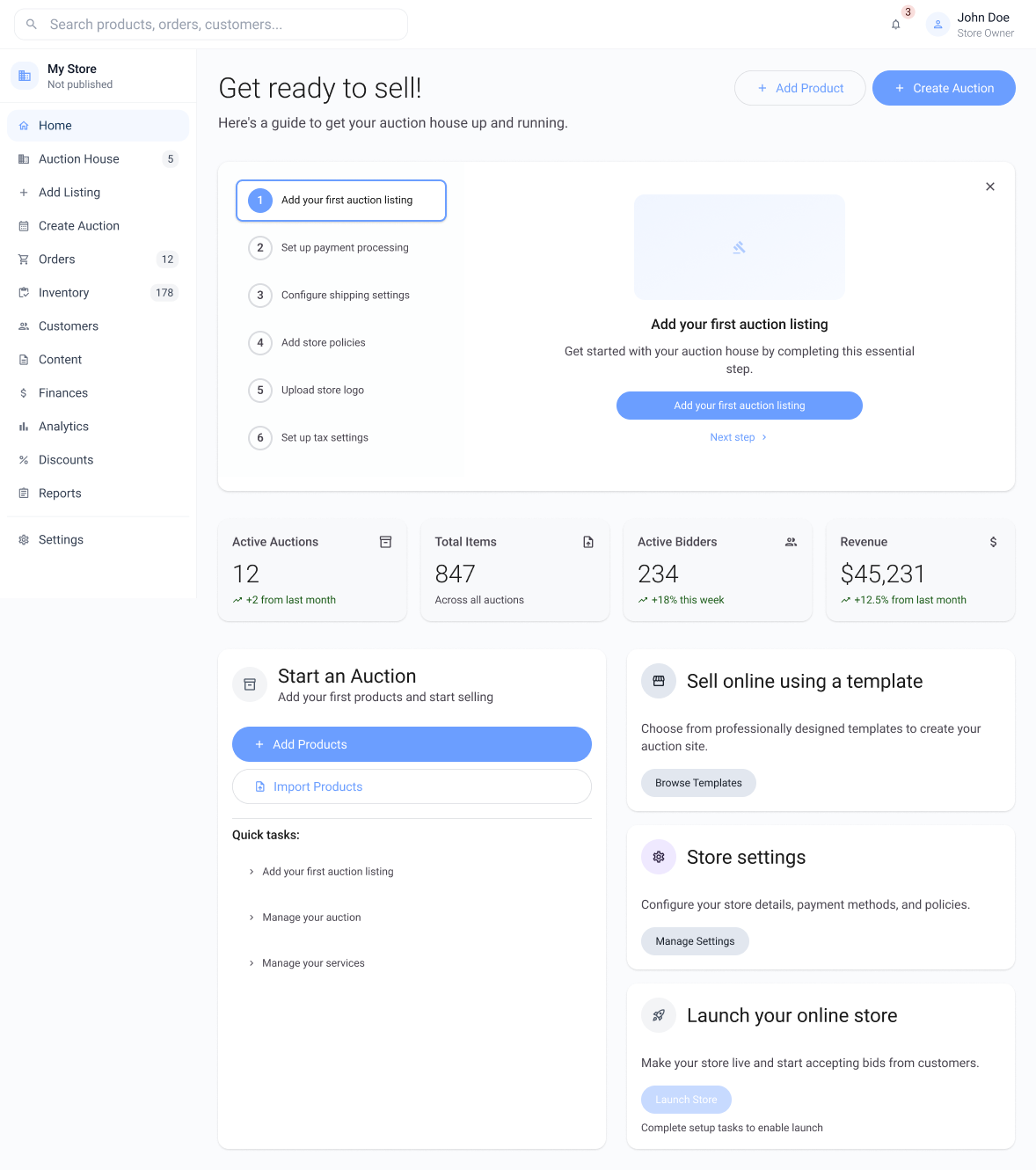
New sellers are greeted with a step-by-step setup wizard that breaks onboarding into manageable tasks: adding the first listing, configuring payment processing, setting up shipping, and uploading store branding. Each step shows clear progress and can be revisited, reducing the barrier to getting started.
Inventory Management with AI Lens & CSV Upload
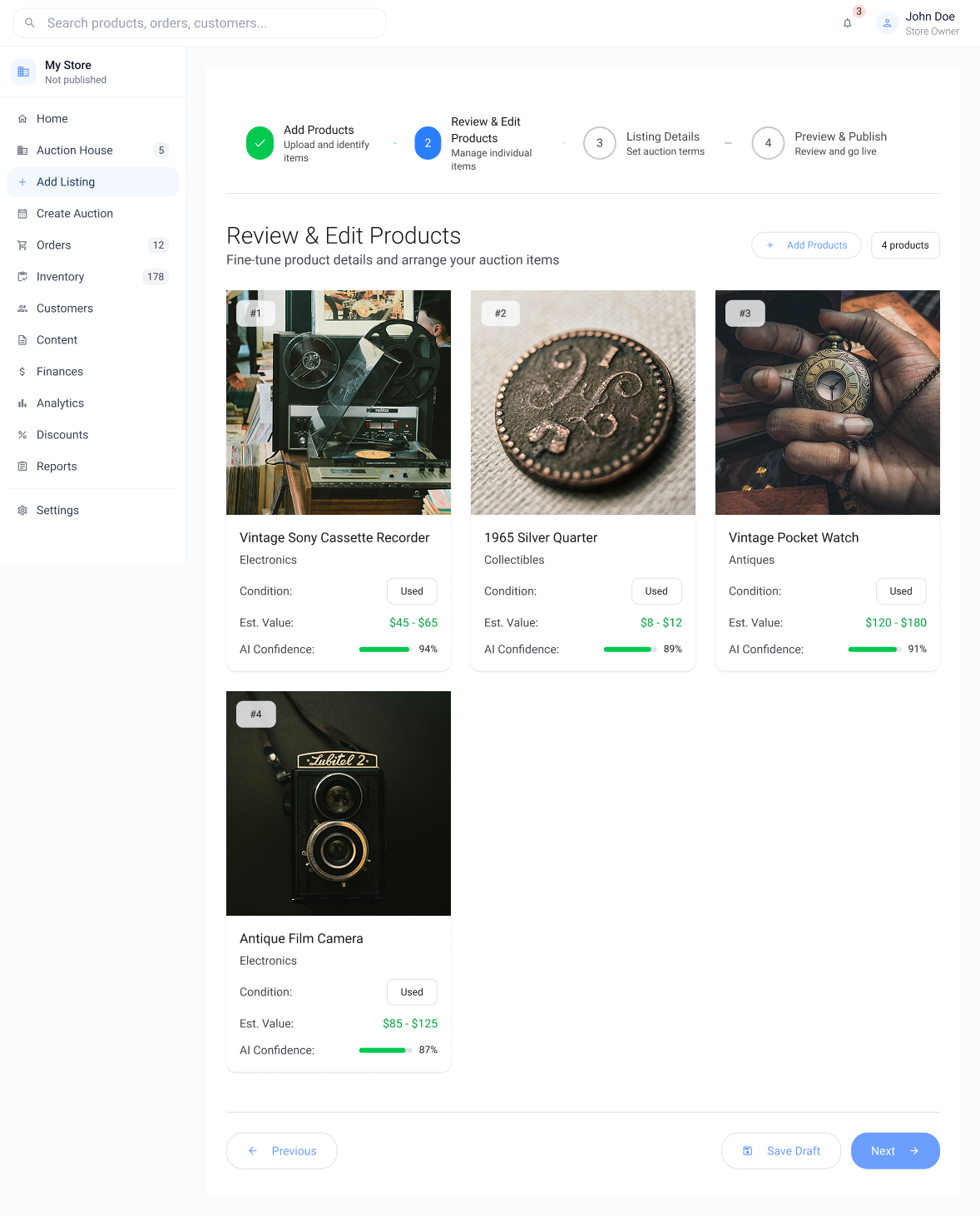
The critical feature for high-volume sellers. The AI Lens instantly identifies and catalogs items from photos, returning product names, categories, condition, and estimated value with confidence scores. Sellers can also bulk import via CSV. Items are reviewed and edited before being committed to inventory.
Auction Creation Flow
Creating an auction follows a multi-step stepper flow: select items from inventory, configure auction parameters (timing, starting price, reserve, bid increments), preview the listing exactly as bidders will see it, and publish. The stepper header gives sellers clear orientation throughout.
Analytics, Finances & Customer Management
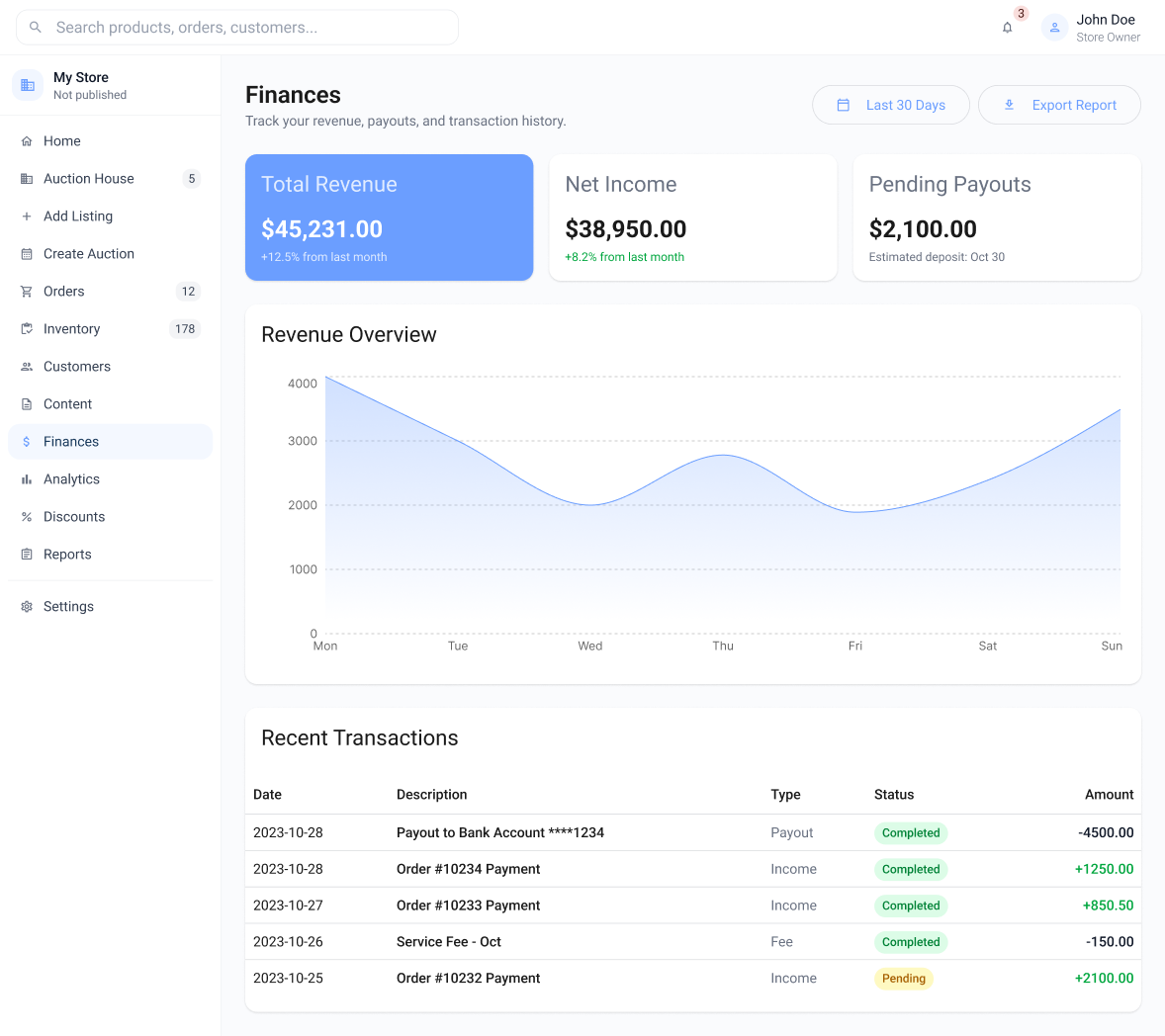
The dashboard surfaces at-a-glance metrics: 12 active auctions, 847 total items listed, 234 active bidders, and $45,231 in revenue. The Finances page goes deeper with net income, pending payouts, a revenue overview chart, and a full transaction history for complete financial visibility.
The thrill of the auction, in your pocket
Bidders come for the deal. They stay for the thrill. The mobile app puts live auctions at their fingertips: browse hundreds of lots, track the ones that matter, and place a bid in seconds. Every screen is built around one goal: make the next bid feel effortless.
Trade-off
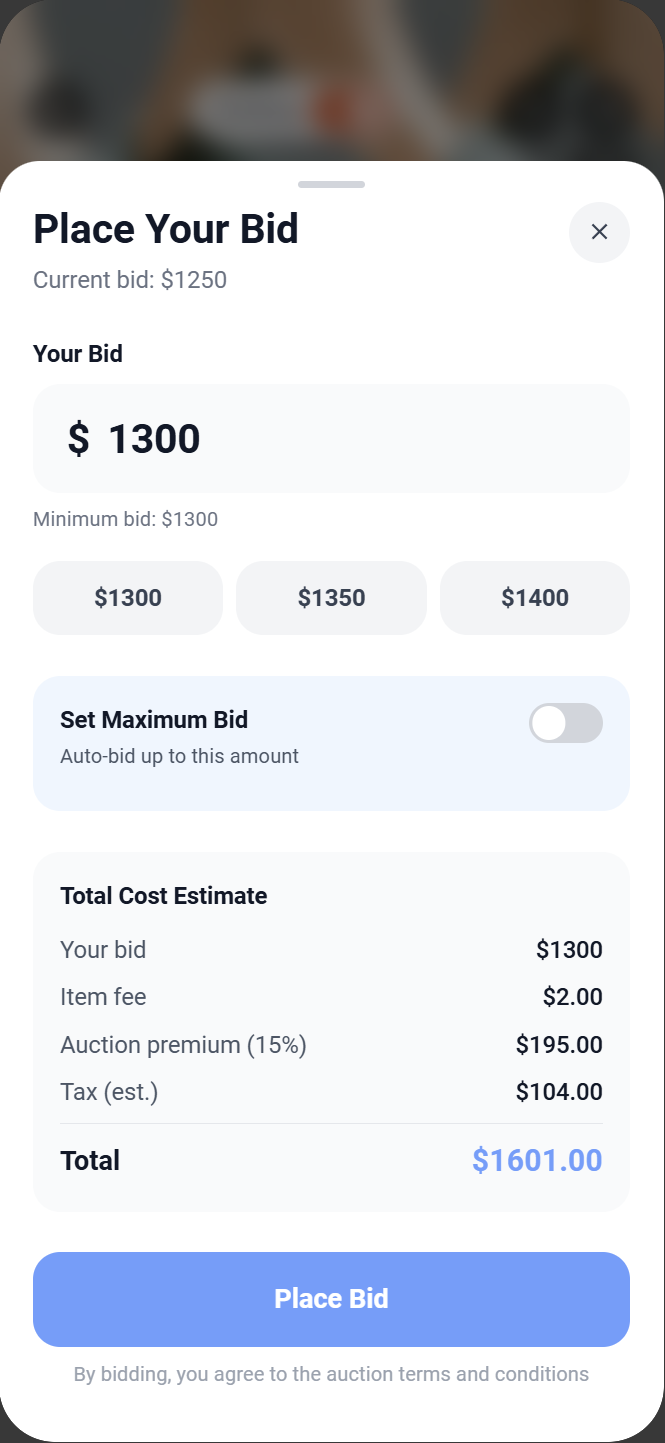
Chose a bottom sheet bid pattern over a full-page flow, keeping lot context visible at the cost of less screen space for bid customisation.
Win
Bidders could discover, track, and place a bid in under 3 taps, reducing drop-off at the most time-sensitive moment in the auction.
Visual Design Breakdown
User's name and greeting displayed at the top of the app on every session.
Quick access to track all active orders directly from the home screen.
Featured lot promotions and active campaigns surfaced on the home feed.
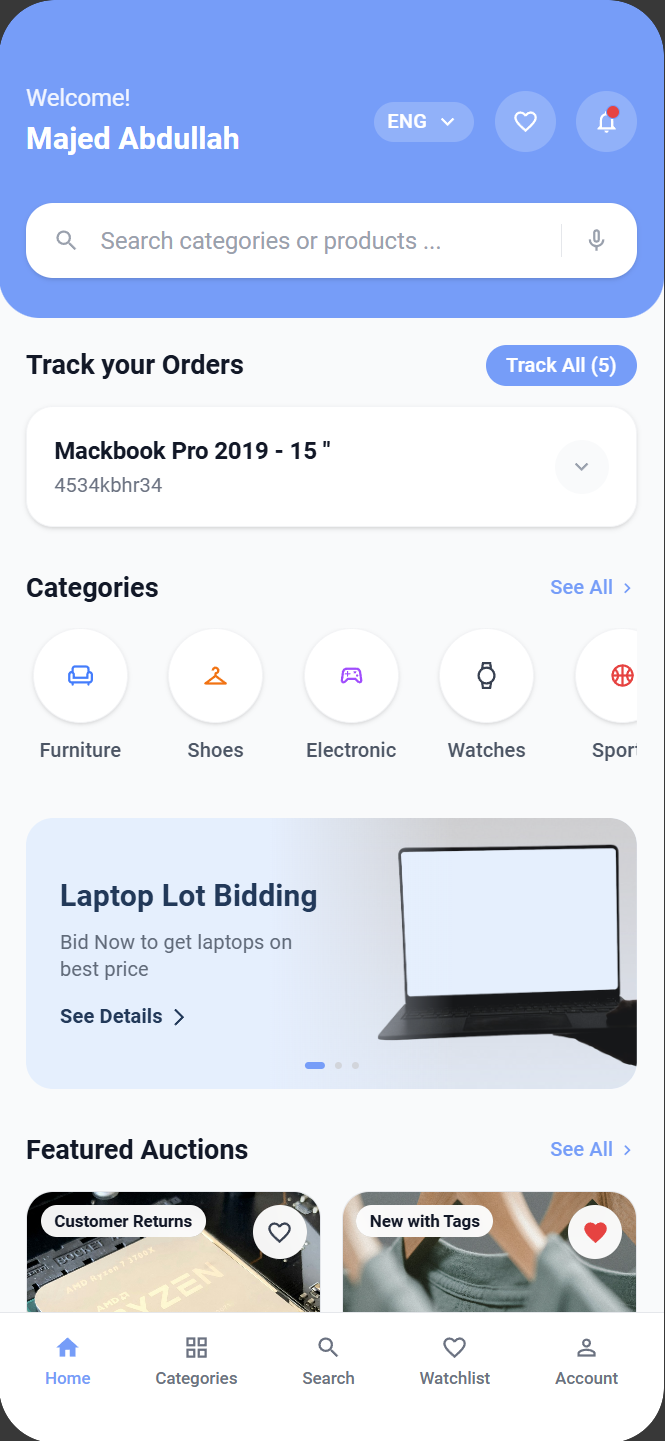
Switch language and view alerts from the top header at any time.
Icon-based navigation for quick browsing across all product categories.
Live and ending-soon lots surfaced at the bottom of the home feed.
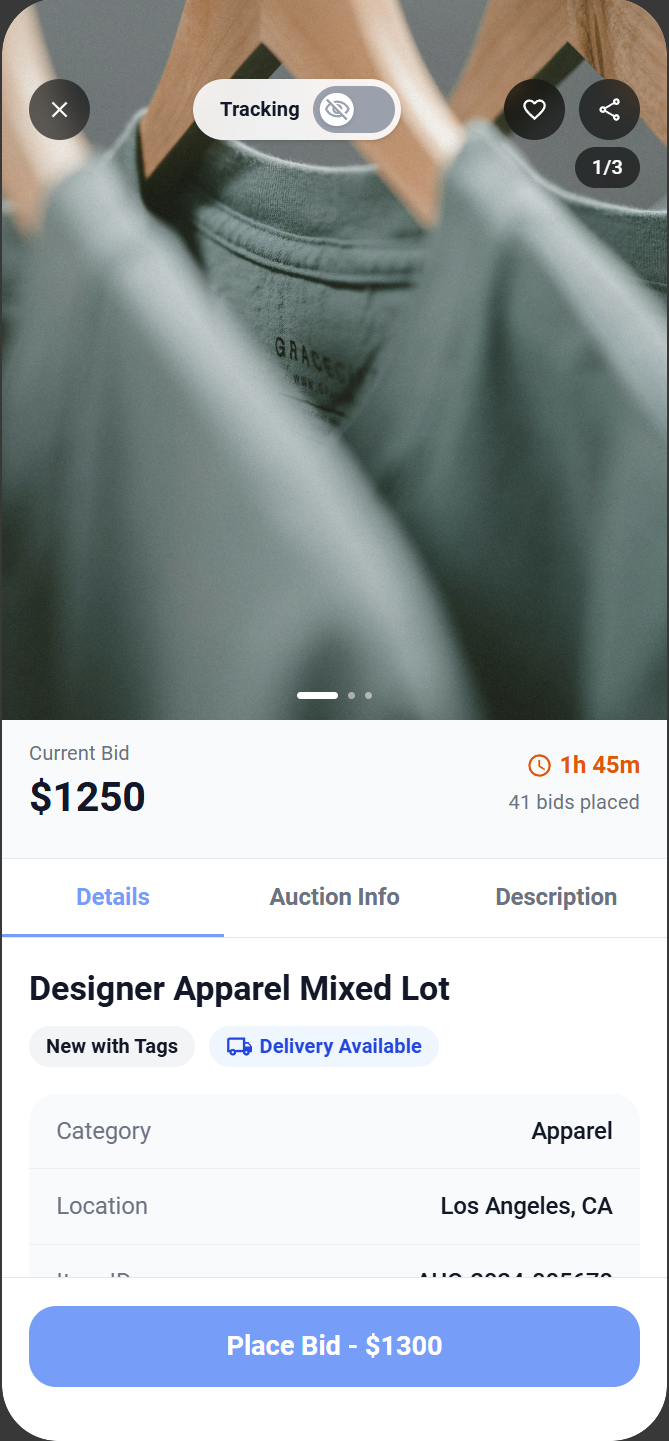
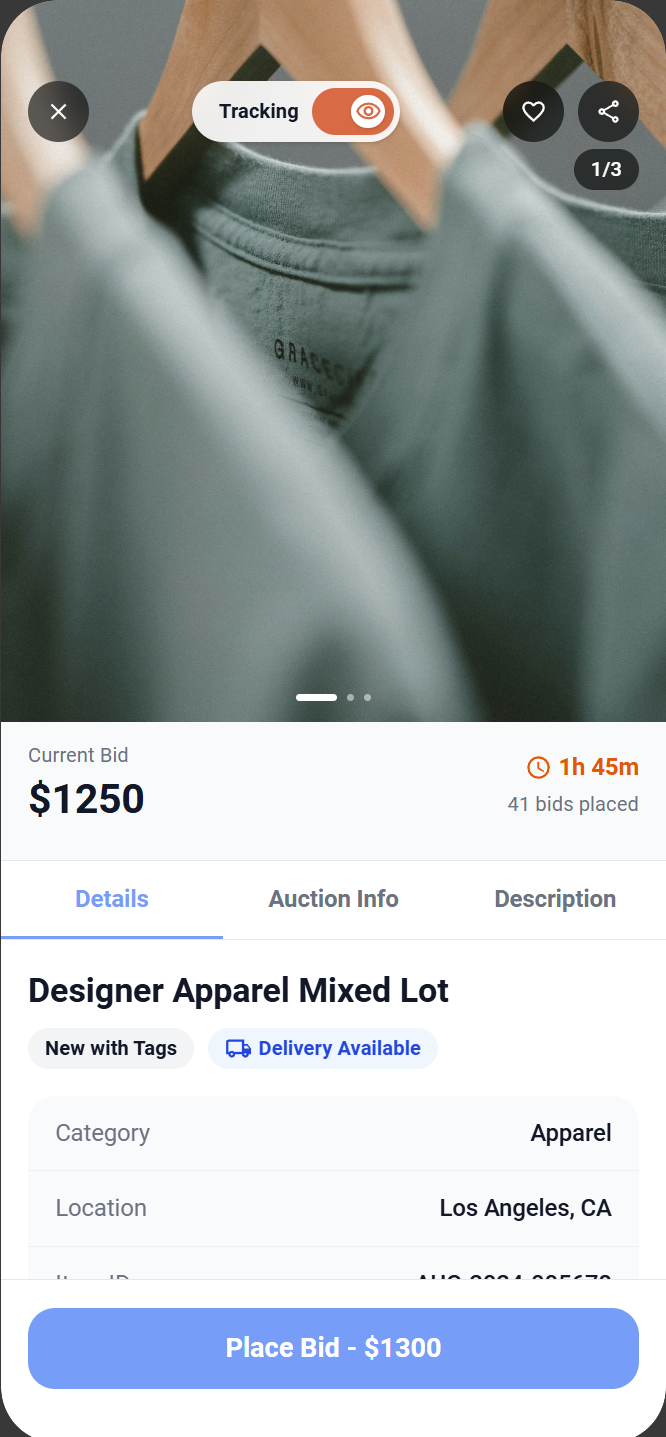
With the active tracking feature, users can monitor in real-time which lot is being auctioned. They stay informed without needing to navigate to the lot page for updates.
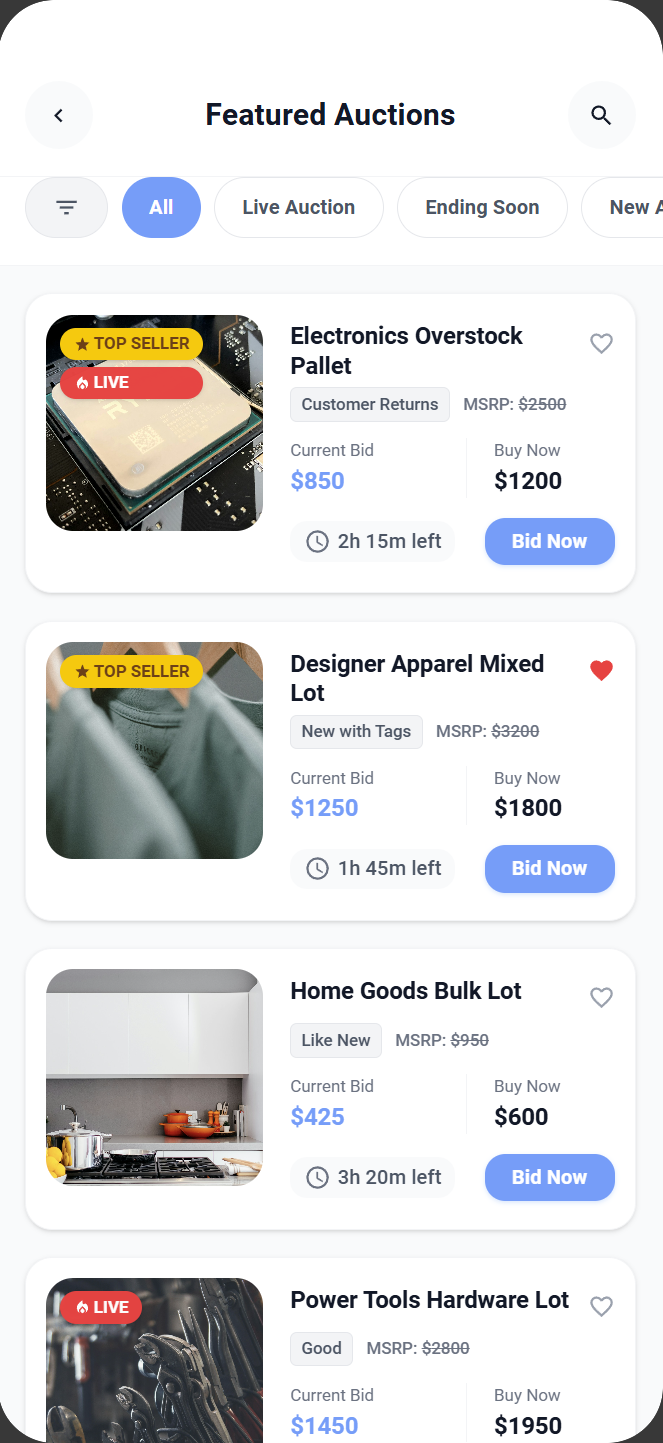
The bid button communicates three states clearly: active and ready to bid, processing while the bid is placed, and disabled when a lot has ended or the user is not registered.
Condition badges set bidder expectations before clicking into a lot. Status chips surface urgency and credibility directly on the auction card, helping bidders prioritise at a glance.
Onboarding Experience
New bidders are introduced through a three-step onboarding flow that highlights key value propositions: category-based search and filtering, watchlist notifications for bid changes, and flexible pickup or delivery options. The flow is skippable but builds confidence before the first bid.
Browse, Search & Discover
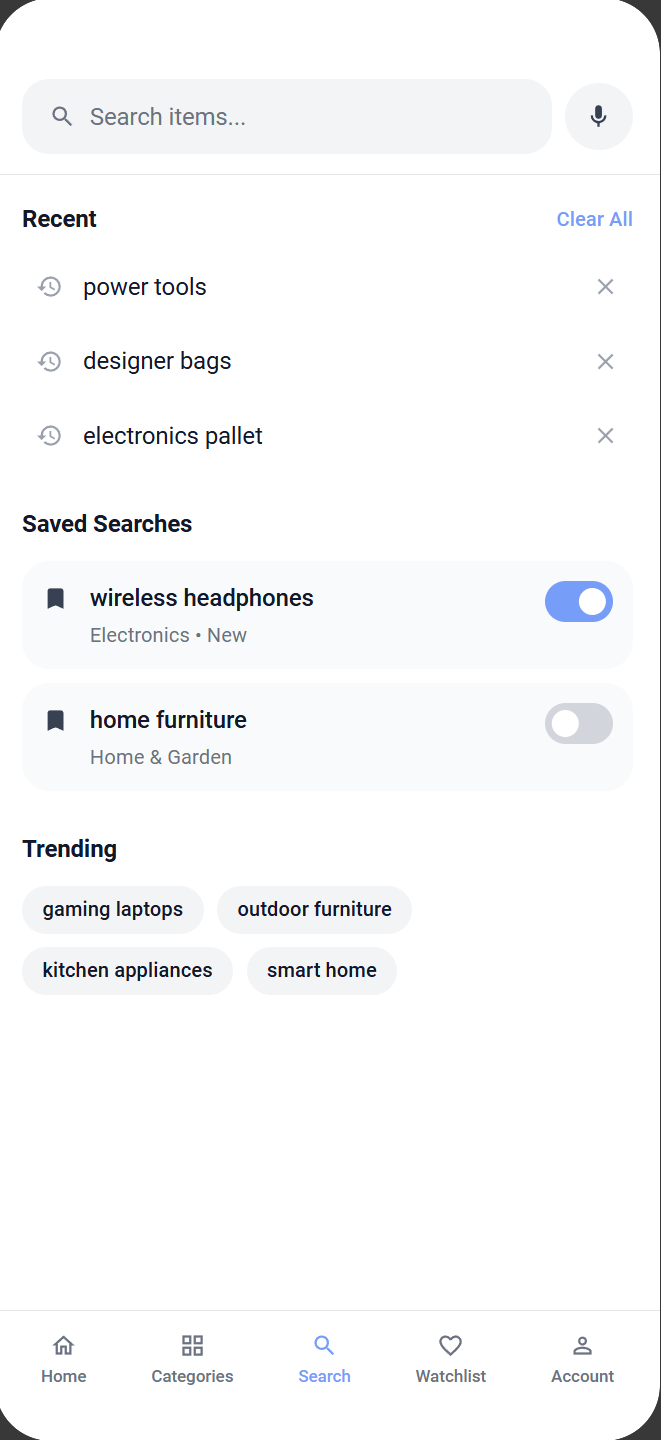
Discovery is half the fun. The home feed puts featured lots, trending categories, and live auctions front and centre. Search remembers where you left off. Recent searches, saved alerts, and trending keywords mean bidders always find something worth watching.
Real-Time Bidding & Wins
The lot detail view presents high-quality images, item descriptions, condition grades, current bid, and bid history. Bidders can toggle price tracking on a lot. An orange indicator confirms the active state at a glance. Bidding uses a bottom sheet pattern for quick placement without losing context, with a full cost breakdown before confirming.
One language, two expressions
Both products share a design foundation based on Material Design 3, adapted for each platform's context. The seller dashboard uses denser information layouts with elevated cards and subtle surface layering. The bidder app uses bolder typography, more generous touch targets, and vibrant accent colors.
Shared Tokens
Unified color, spacing, and elevation values across both platforms
Component Library
Built with shadcn/ui primitives styled to MD3 specification
Responsive Patterns
Dense desktop tables to touch-friendly mobile cards
Iconography
Material Icons used consistently across both experiences
Reflections on designing for two
This project deepened my understanding of how to design interconnected experiences where every decision on one side ripples through to the other. The biggest challenge, and the most rewarding part, was maintaining empathy for two very different user mindsets simultaneously.
Design the connection, not just the screens
The most impactful decisions were about how seller actions translate into bidder experiences, not how individual screens look in isolation.
Bulk workflows need progressive complexity
Power-user tools like CSV upload and inventory management should start simple and reveal complexity as the user needs it.
Trust is the product
In auctions, every UI element contributes to or detracts from trust. Real-time accuracy, clear error states, and transparent pricing are the foundation.
One system, flexible expression
Using MD3 as a shared foundation allowed both products to feel related while being independently optimized for their platform and audience.
Live Auction Streaming
Real-time video auctions with synchronised bidding, bringing the energy of in-person auctions directly into the mobile experience.
AI Pricing Intelligence
Recommend optimal starting prices and reserve amounts to sellers based on market data, category trends, and past auction performance.
Tablet & Desktop Bidder
Expand beyond mobile with responsive layouts for collectors managing large portfolios who need more screen real estate to track bids.